
11 KiB
Arbeidspuls
Arbeidspuls is a lightweight, privacy-friendly web app for self-reporting work ability, function, energy, symptoms and strain over time.
It is designed for practical situations where a person needs to document actual function in a work setting, such as work trials, gradual return-to-work processes, long-term illness, fatigue or other conditions that affect short-term and long-term capacity.
Arbeidspuls is quick to use from a phone, while still giving advisors a structured way to review trends, report details, follow-ups and notes.
Arbeidspuls is a tool for structured self-reporting and review. It does not replace medical assessment, occupational health evaluation or formal decisions.
Why host Arbeidspuls?
Arbeidspuls is suitable for organizations or professionals who need a simple, low-friction way to collect work-function self-reports without operating a heavy case management system or central database.
It is especially relevant for:
- work-fitness evaluations
- work trials
- gradual return-to-work processes
- documenting function, strain and recovery
- advisors, case workers or professionals reviewing reports
- environments where data minimization and local storage matter
Arbeidspuls is built as a web app/PWA that can normally be hosted as ordinary static files. Secure email sharing is an optional add-on that requires a small FastAPI backend.
The basic local-only flow normally does not require:
- a server database
- login
- a backend API
- a production Node process
- central storage of sensitive reports
The user owns their data locally in the browser and actively shares it by exporting a JSON file or creating an encrypted one-time link.
Key features
- quick self-reporting from a phone
- 1-5 scales for core function areas
- optional details for workplace, work time, task type, limitations and accommodations
- follow-up after a work session to capture delayed worsening/recovery
- overview with time-based trend graph
- local JSON import/export
- advisor view for reviewing exported reports
- advisor notes per user, report and follow-up
- fullscreen graph analysis for advisors
- local report integrity checks
- Norwegian and English user interface
- installable as a PWA/WebApp on phones and tablets
Screenshots
Screenshots are located in screenshots/. Please note that screenshots are only in Norwegian.
Register report
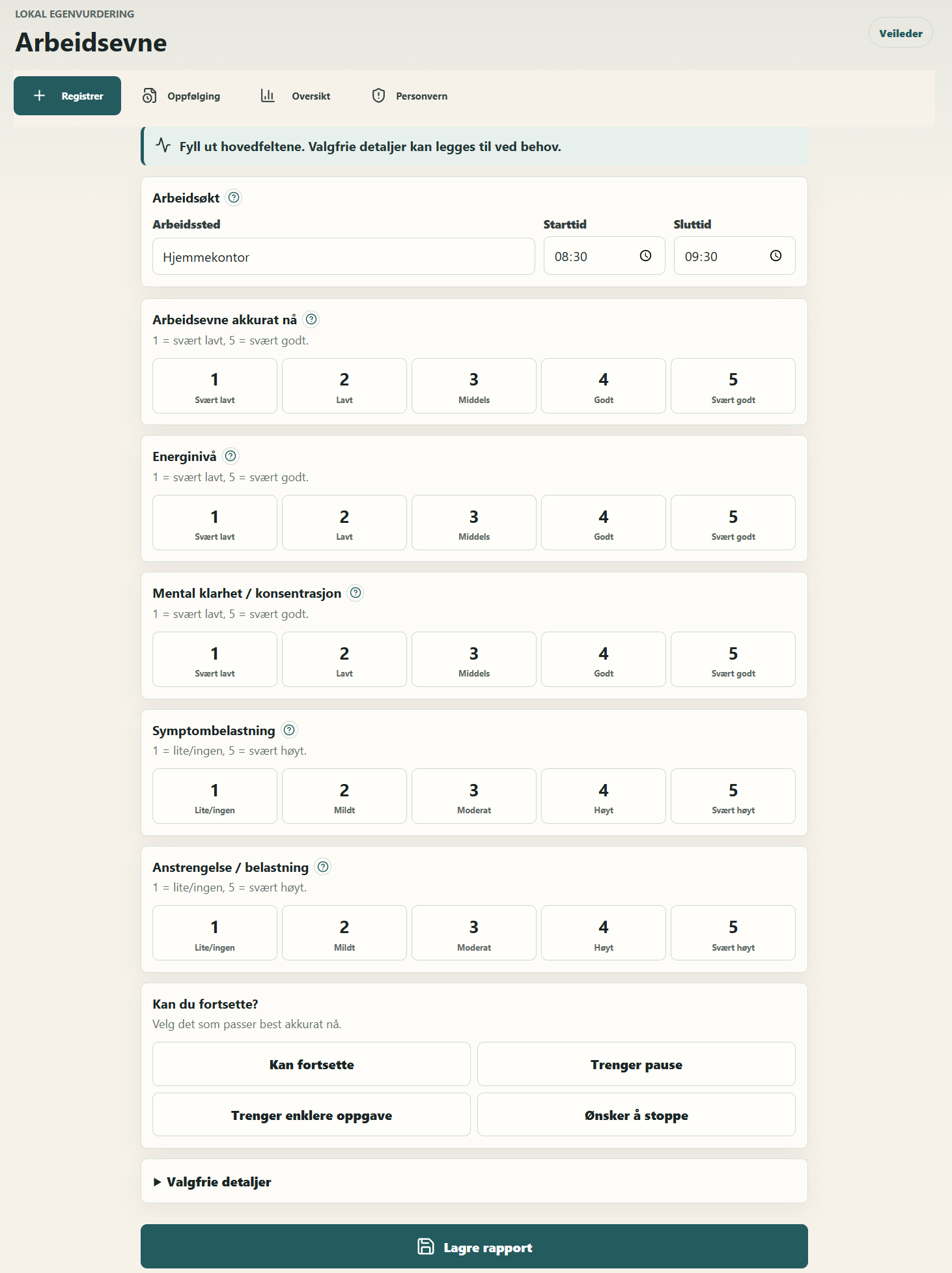
The user can save a report with only a few taps. Core fields use quick 1-5 choices, while optional details can be opened when needed.
Follow-up
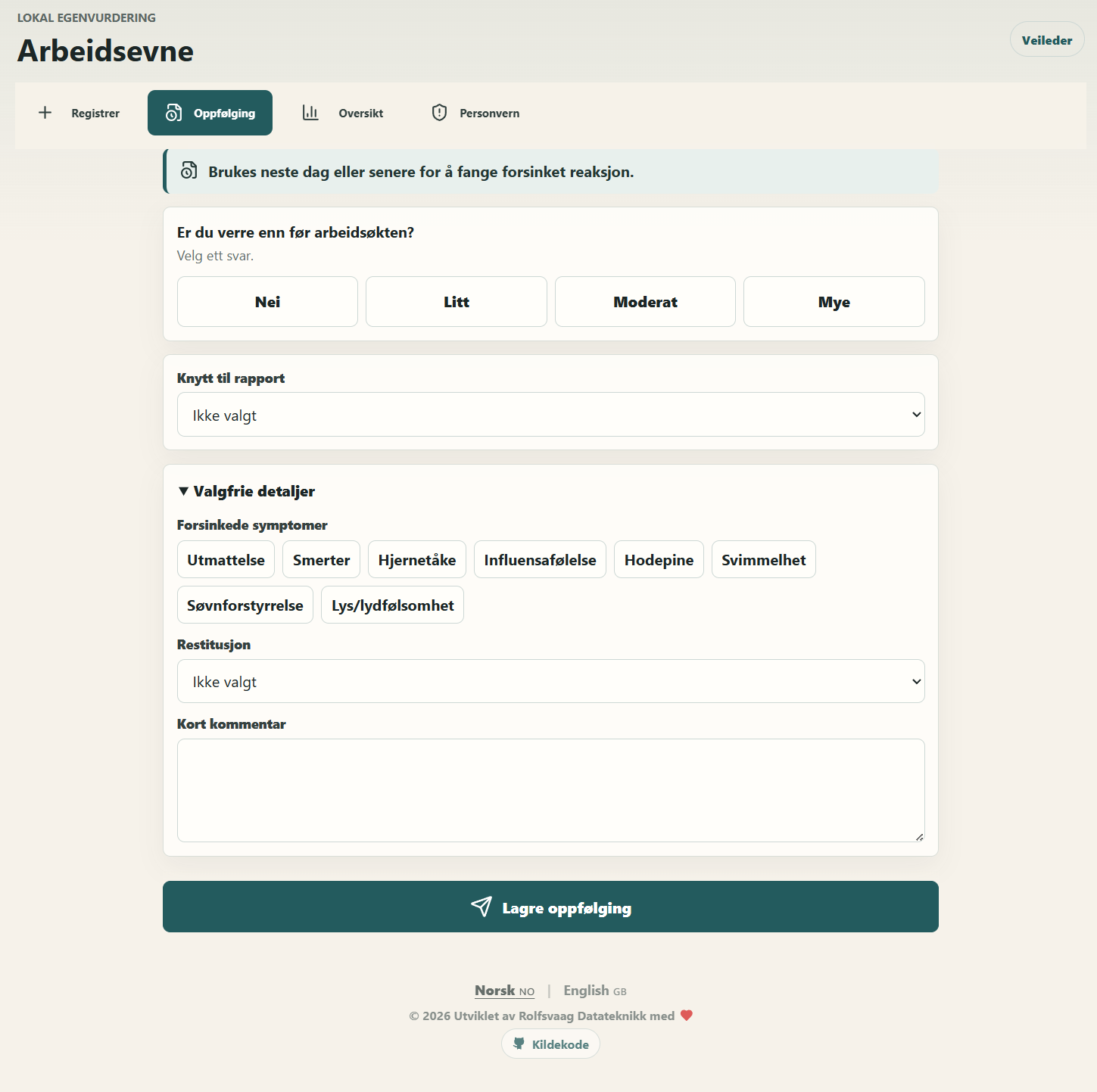
Follow-up is used after a work session, for example later the same day, the next day or later. This is useful when symptoms or fatigue appear after a delay.
Overview and trend
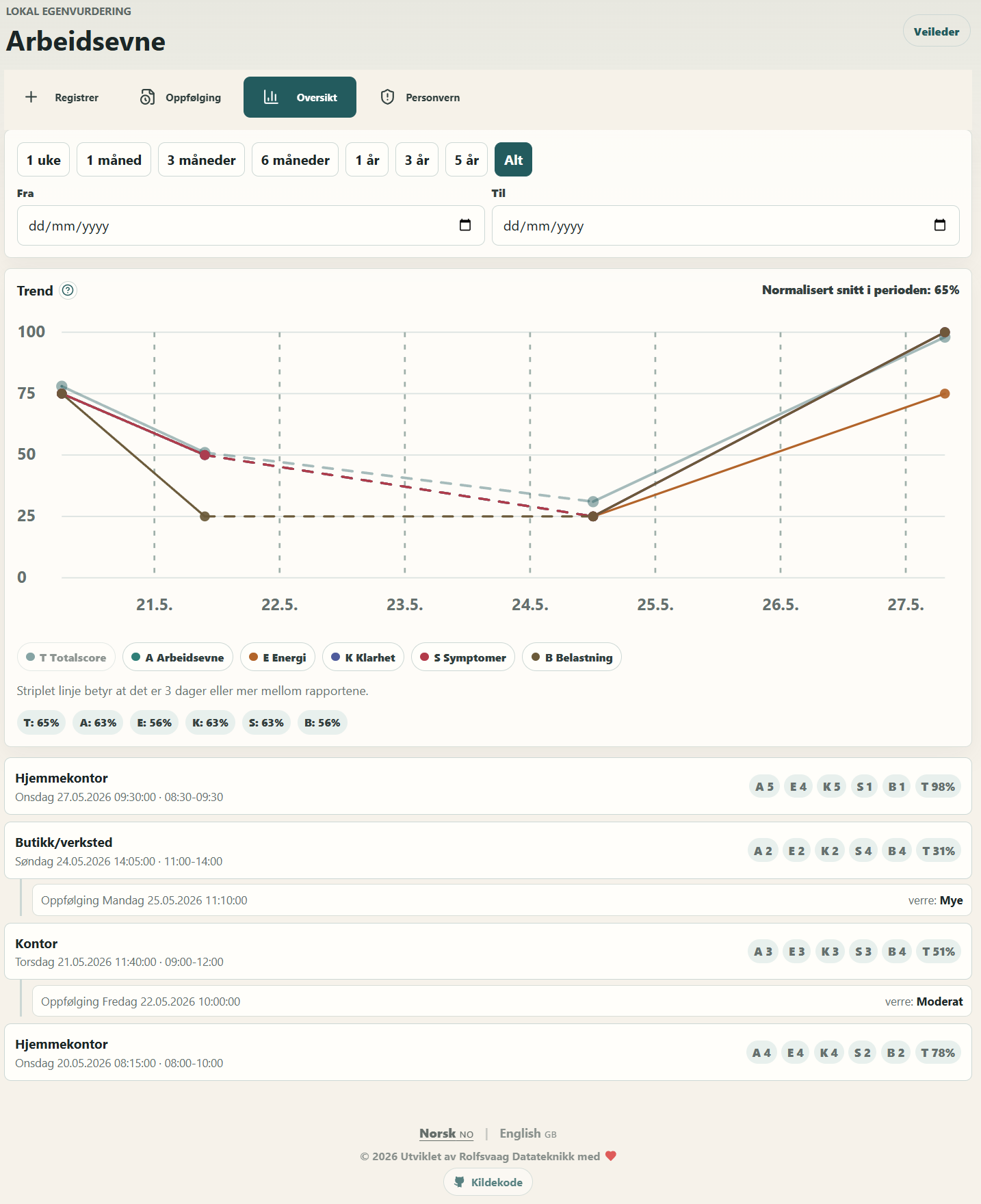
The overview shows reports, follow-ups, total score, category scores and trend over time. The graph uses the actual time distance between reports.
Report details
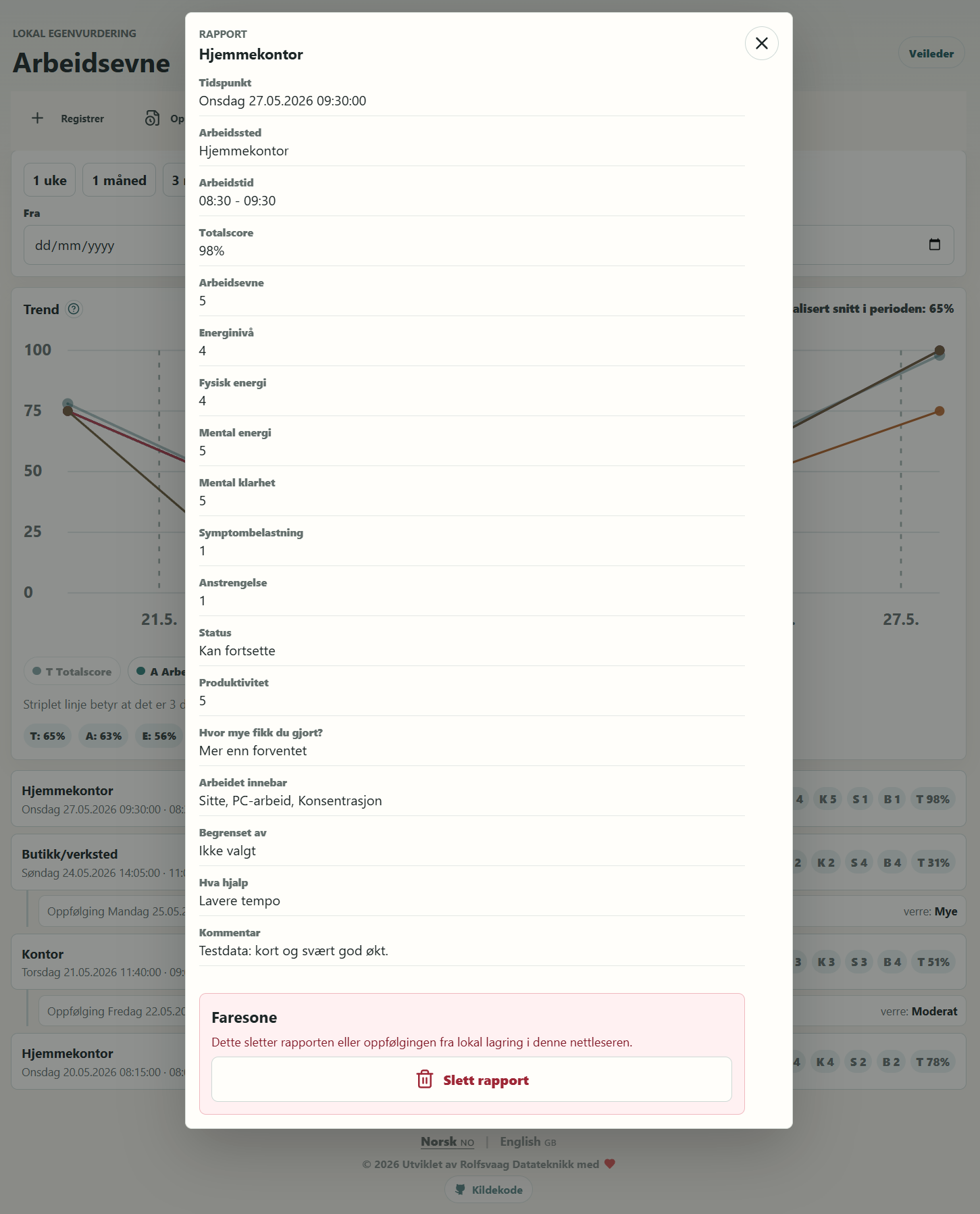
The user can open a report to review details and optionally delete local reports.
Privacy and data management
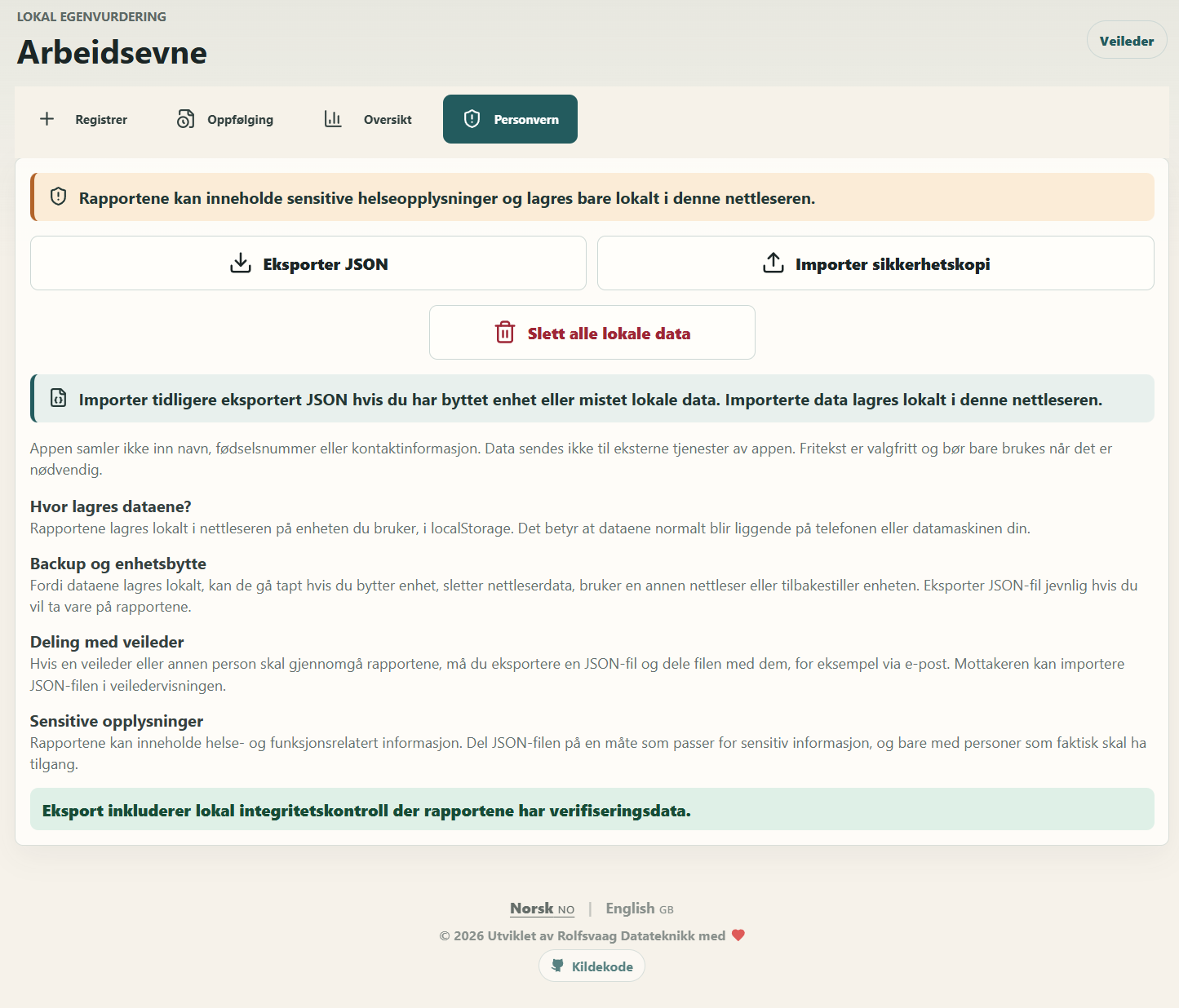
The privacy page explains local storage, export/import, sharing with an advisor and deletion of local data.
Advisor review
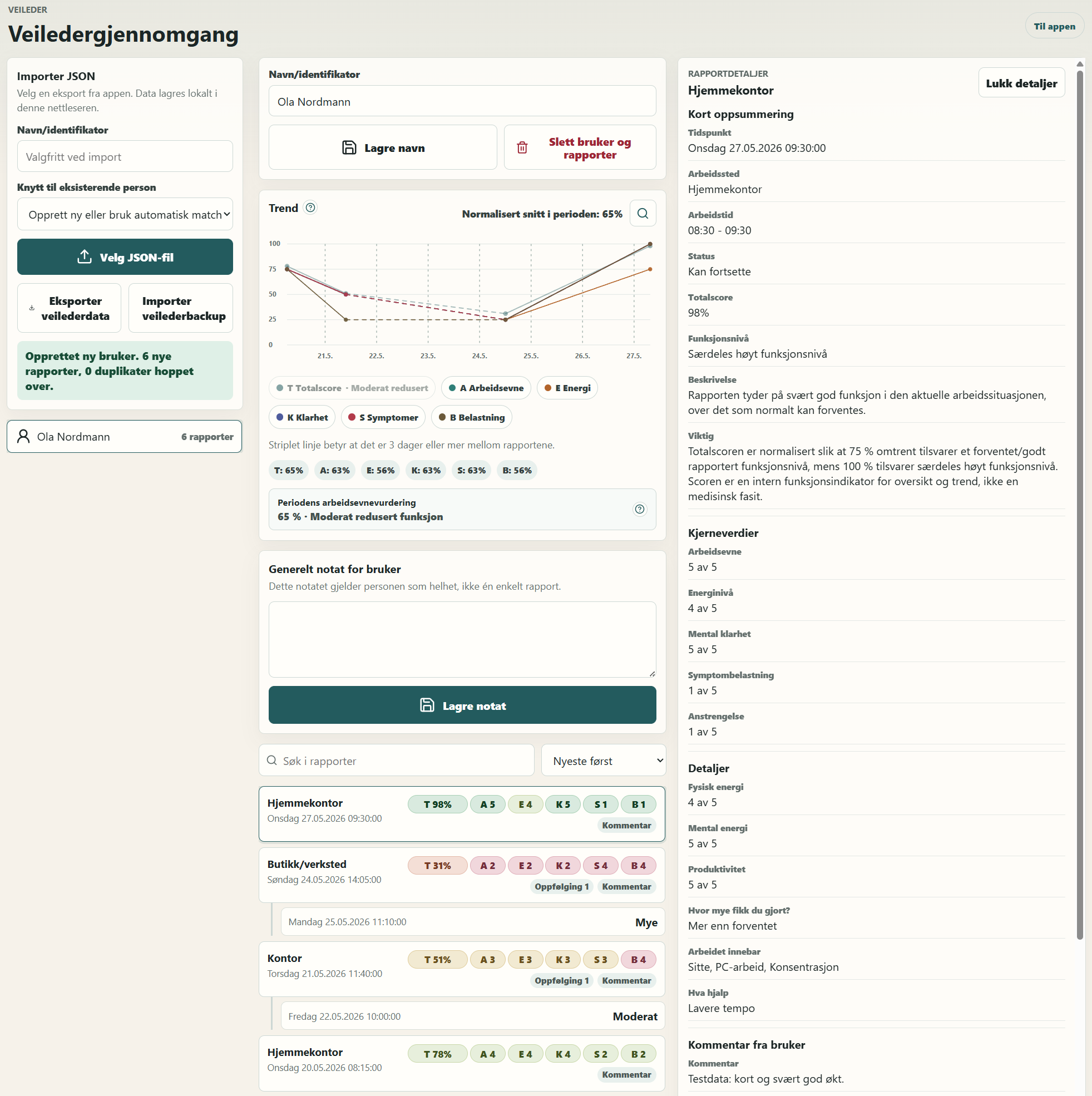
The advisor view lets an advisor import JSON files from users, view reports, read details, add notes and compare development over time.
Fullscreen graph analysis
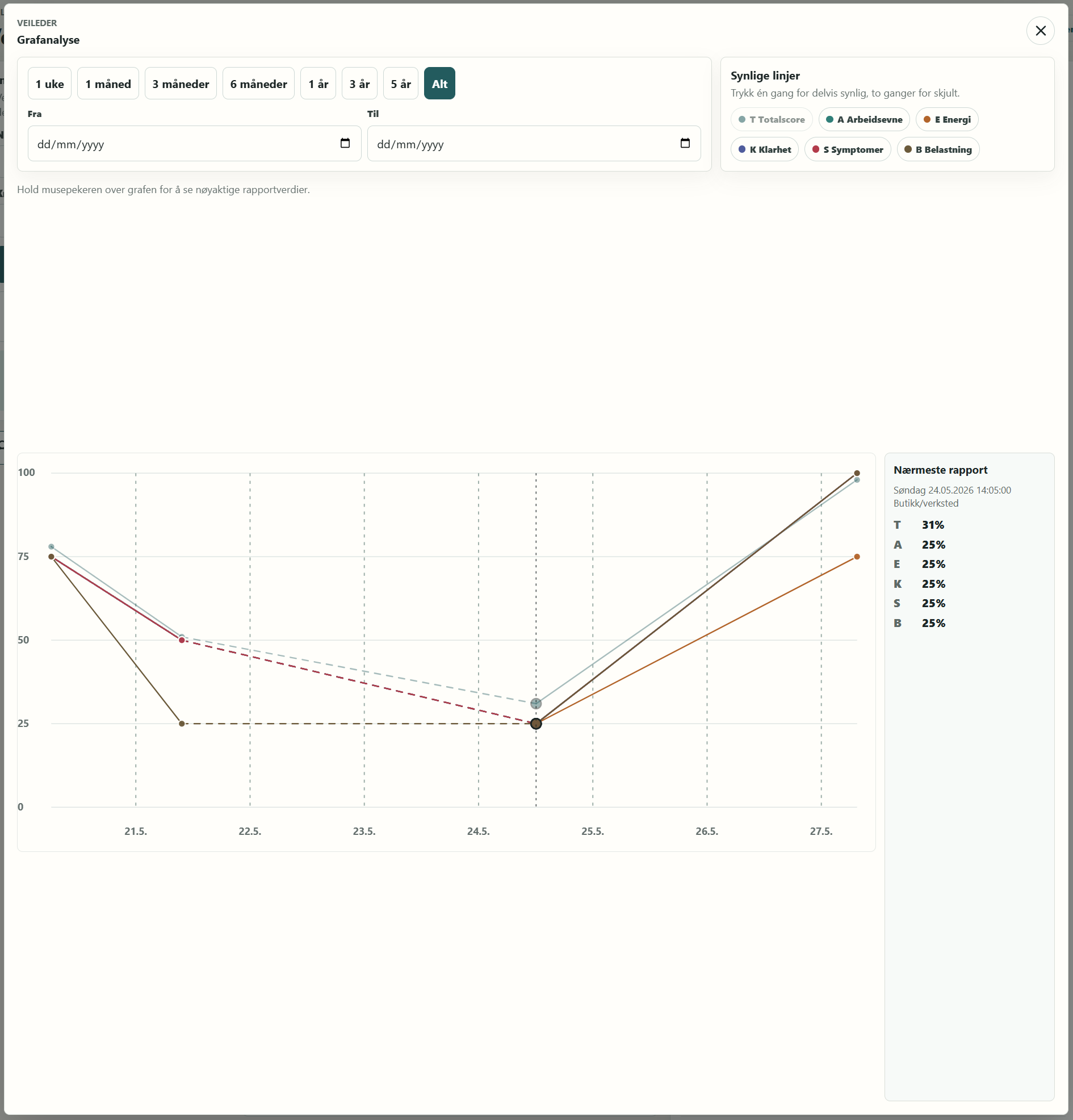
In advisor mode, the graph can be opened in fullscreen for more precise review, time filtering and inspection of individual data points.
For users
Open the service
Go to:
https://arbeidspuls.rolfsvaag.no
Arbeidspuls works on phones, tablets and desktop computers. It is phone-first, so reporting should be quick and low effort.
Install it as an app on a phone or tablet
Arbeidspuls can be installed as a PWA/WebApp.
On Android/Chrome:
- open Arbeidspuls in Chrome
- open the browser menu
- choose Install app or Add to Home screen
On iPhone/iPad/Safari:
- open Arbeidspuls in Safari
- tap the share button
- choose Add to Home Screen
After this, Arbeidspuls can be opened like a normal app from the home screen.
Save a report
Choose Register, fill in the core fields and press Save report.
The core fields are:
- current work ability
- energy level
- mental clarity / concentration
- symptom burden
- effort / strain
- whether you can continue, need a break, need an easier task or want to stop
Optional details can be used if you want to add more context, such as workplace, work time, physical/mental energy, task type, limitations, what helped and a short comment.
Save a follow-up
Choose Follow-up to record how you are doing after a work session.
This can be used to document:
- whether you are worse than before the work session
- delayed symptoms
- recovery
- a short comment
Follow-up is especially useful if the reaction comes after the work session itself.
View overview
Choose Overview to see previous reports, follow-ups and the trend graph.
The overview shows, among other things:
- total score
- work ability
- energy
- mental clarity
- symptoms
- strain
- follow-ups linked to reports
Export data to an advisor
If an advisor or another person needs to review your reports:
- go to Privacy
- choose Export JSON
- send the JSON file to the advisor, for example by email or another agreed channel
The JSON file may contain sensitive health and function-related information. Only share it with people who should have access.
Import earlier data
If you have changed devices, changed browser or lost local data, you can import a previously exported JSON file from Privacy.
For advisors
Advisor mode is available at:
https://arbeidspuls.rolfsvaag.no/veileder
or:
https://arbeidspuls.rolfsvaag.no/evaluator
Import reports
- Ask the user to export JSON from Privacy
- Open advisor mode
- Choose the JSON file
- Give the user a name or internal identifier
The data is stored locally in the advisor's browser after import. If the user shares by email link, the server only handles a temporary encrypted copy it cannot read.
Review reports
Advisors can:
- view a trend graph for the selected user
- filter by time period
- open fullscreen graph analysis
- read report details
- read follow-ups
- view total score and category scores
- write a general note for the user
- write notes per report
- write notes per follow-up
- export/import advisor backup
Score and function level
Arbeidspuls shows total score and category scores as internal function indicators.
Scores are intended for overview and trend support, not as a medical conclusion.
Advisor mode uses score bands such as:
- Exceptionally high function level
- Expected function level
- Moderately reduced function
- Significantly reduced function
- Very low function
75% roughly corresponds to an expected/good reported function level, while 100% corresponds to an exceptionally high function level.
Integrity checks
Reports may contain local integrity metadata. If a report is missing verification or appears to have been changed, a warning is shown in advisor mode.
This is a technical check. It is not a legal guarantee and does not prove the medical truth of a report.
Privacy and local storage
Arbeidspuls stores data locally in the browser on the device being used by default. Normal JSON export/import remains local-only.
If the user chooses Send by email, the selected export is encrypted in the browser before it is uploaded to the Arbeidspuls server as a temporary one-time share. The server does not receive the decryption key and cannot read the report data. The key only exists in the URL fragment in the share link.
This means:
- reports are not automatically sent to a server
- normal JSON export/import uses no central database
- data remains on the user's device/browser
- clearing browser data may delete reports
- changing device or browser requires export/import
- encrypted email shares are deleted after the first successful import or automatically after 7 days
After deletion, only minimal share metadata is retained: export ID, creation time, deletion time and deletion reason.
Technical overview
Arbeidspuls is a React/Vite app with local browser storage and an optional FastAPI backend for encrypted one-time shares.
Typical production build:
npm ci
npm run build
The contents of dist/ are then hosted as static files.
For an SPA, the web server should fall back to index.html, but /api/share must be routed to FastAPI before fallback. Apache example:
ProxyPreserveHost On
ProxyPass        /api/share/ http://127.0.0.1:8000/api/share/
ProxyPassReverse /api/share/ http://127.0.0.1:8000/api/share/
ProxyPass        /api/share http://127.0.0.1:8000/api/share
ProxyPassReverse /api/share http://127.0.0.1:8000/api/share

<Location "/api/share">
    Require all granted
    LimitRequestBody 3145728
    Header always set Cache-Control "no-store"
    Header always set Pragma "no-cache"
    Header always set Expires "0"
    RequestHeader set X-Real-IP "%{REMOTE_ADDR}s"
</Location>
Recommended security headers for the vhost:
Header always set Content-Security-Policy "default-src 'self'; script-src 'self'; style-src 'self' 'unsafe-inline'; img-src 'self' data:; font-src 'self' data:; connect-src 'self'; object-src 'none'; base-uri 'self'; frame-ancestors 'none'; form-action 'self'; upgrade-insecure-requests"
Header always set X-Content-Type-Options "nosniff"
Header always set Referrer-Policy "strict-origin-when-cross-origin"
Header always set Permissions-Policy "camera=(), microphone=(), geolocation=(), payment=()"
Technology
- React
- TypeScript
- Vite
- PWA manifest
- service worker
- local browser storage
- JSON import/export
- local advisor view
- optional FastAPI/SQLite backend for encrypted one-time sharing
- Norwegian/English UI
Production
Arbeidspuls can still run as a purely static app if secure email sharing is not used. The public demo with Send by email requires the FastAPI backend, HTTPS, SPA fallback for /s and a reverse proxy from /api/share to the backend.
Active encrypted shares in SQLite should not be included in long-term backup. If the database is backed up, retention must be shorter than the share expiry or the backup must be limited to audit metadata after deletion.
Development
Install dependencies:
npm ci
Run the development server:
npm run dev
Build production files:
npm run build
Run tests:
npm test
Important note
Arbeidspuls is a tool for structured self-reporting and review. It should not be used as the sole basis for medical, legal or employment-related decisions.
Total score and category scores are internal function indicators for overview and trends. They are not medically validated test results.
License
See LICENSE.